

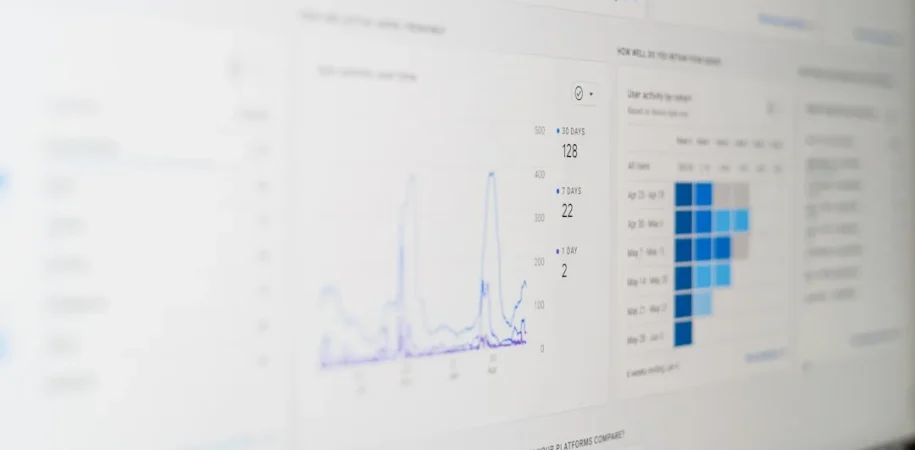

WordPress uptime monitoring explained in plain terms: it is the practice of continuously checking whether a WordPress site is reachable and responding correctly — and alerting someone the moment it is not. That definition sounds simple, but the gap between basic monitoring and monitoring that actually protects a client’s business is significant. This post covers how uptime monitoring works at a technical level, what metrics genuinely matter, where most implementations fall short, and how agencies managing multiple WordPress sites should think about it differently than a single site owner.
What Uptime Monitoring Actually Measures
Most people assume uptime monitoring just answers one question: «Is the server on?» That is the starting point, not the whole picture. A proper monitoring setup tracks several layers simultaneously:
- HTTP status codes — A server can be running but returning a 500 error or a redirect loop. Checking for a 200 OK response is more accurate than a raw ping.
- Response time — A page that takes 18 seconds to load is technically «up» but functionally broken for most users. Monitoring response latency catches degradation before full downtime occurs.
- SSL certificate validity — An expired SSL certificate takes a site effectively offline in modern browsers even if the server is healthy. Many monitoring tools check certificate expiry as a separate signal.
- Transaction monitoring — For WooCommerce stores, checking that the homepage loads is not enough. Monitoring a checkout flow or a login sequence verifies that business-critical paths actually work end to end.
- DNS resolution — A misconfigured DNS change can take a domain offline while the server itself stays perfectly healthy. Monitoring DNS separately catches propagation issues and accidental deletions.
According to website monitoring research, even a single minute of downtime during peak hours can result in measurable revenue loss for transactional sites. For agencies, the reputational cost compounds that — a client who discovers their site was down before you did is a client relationship under strain.
How the Monitoring Cycle Works
Uptime monitoring tools work by sending automated requests to a target URL at set intervals — typically every 1, 3, or 5 minutes depending on the plan and tool. Here is what happens during each cycle:
- The monitoring service sends an HTTP GET request to the monitored URL from one or more locations around the world.
- It waits for a response within a defined timeout window (usually 30 seconds).
- It evaluates the response: status code, response body content (to catch soft 404s and maintenance modes), and response time.
- If the check fails, the tool typically waits one additional interval before triggering an alert — this prevents false positives from transient network blips.
- An alert fires via email, SMS, Slack, or webhook, and the tool begins logging the outage duration.
Multi-location monitoring matters here. A single-location check from a server in the US will not catch a situation where the site is unreachable in Europe due to a CDN routing issue or a regional DNS failure. Tools that check from multiple geographic nodes give you a far more accurate picture of real-world availability.
The Metrics That Actually Drive Decisions
Uptime Percentage
The headline number everyone quotes. 99.9% uptime sounds excellent until you do the math: that allows roughly 8.7 hours of downtime per year. 99.99% («four nines») allows about 52 minutes. For a client running an active WooCommerce store or a high-traffic lead generation site, those numbers translate directly into lost revenue and missed conversions. High availability standards in enterprise contexts routinely target 99.99% or above — a useful reference point when setting client expectations.
Mean Time to Recovery (MTTR)

This is the metric most monitoring guides skip. MTTR measures how long it takes from the moment a site goes down to the moment it is restored. A team that gets alerted within one minute but takes four hours to fix the issue has a far worse MTTR than a team that gets alerted in five minutes and resolves the issue in fifteen. Monitoring tools can track downtime duration, but MTTR requires your internal process — not just your tool — to be solid.
Response Time Trends
Gradual response time degradation is one of the most underused signals in uptime monitoring. A WordPress site that took 800ms to load six weeks ago and now regularly takes 2.4 seconds has a problem — even though it has never technically gone «down.» Tracking response time over time surfaces database bloat, plugin accumulation, hosting resource exhaustion, and traffic spikes before they escalate into full outages.
Error Frequency by Type
Grouping downtime events by HTTP error type reveals patterns. Recurring 503 errors often point to server resource limits being hit at predictable times (cron jobs, backup windows, traffic peaks). Recurring 500 errors typically indicate a PHP conflict or a database issue. Patterns matter more than individual incidents.
Where Agency Monitoring Setups Break Down
Managing uptime monitoring for a portfolio of client sites introduces failure modes that single-site owners never encounter.
Alert Fatigue from Poorly Calibrated Thresholds
If your monitoring sends an alert every time a shared hosting server hiccups for 30 seconds, the team quickly learns to ignore alerts. When a real outage hits at 2am, the alert goes unread because it looks like every other false positive from the past month. The fix is not just better tooling — it is thoughtful threshold configuration: use confirmation checks before alerting, set minimum downtime duration for non-critical sites, and route alerts by severity to different channels.
Monitoring the Wrong URL
Many agencies set up monitoring on the homepage and call it done. But a WooCommerce client’s most critical page might be the cart or checkout. A membership site’s most critical page might be the login endpoint. Monitoring a page that barely anyone uses tells you almost nothing about business impact. The monitored URL should be the page whose failure costs the client the most.
No Defined Response Protocol
A monitoring alert that fires and lands in a shared inbox with no assigned owner is only marginally better than no monitoring at all. Agencies running multi-client WordPress management should have a written incident response process: who gets the alert, what they check first, what constitutes an escalation trigger, and how the client gets notified. This is the operational layer that tools cannot replace.
Ignoring Third-Party Dependencies
A WordPress site can go effectively offline because a third-party payment gateway, a CDN, or an external font service is down — even when the WordPress installation itself is perfectly healthy. Comprehensive monitoring accounts for these dependencies, either by testing transaction flows end-to-end or by subscribing to status pages for critical third-party services.
Choosing the Right Monitoring Tool: A Framework
Rather than recommending a specific tool (the landscape changes quickly and pricing tiers vary widely), here is the evaluation framework that holds up across options:
- Check interval — For client sites where downtime matters commercially, 1-minute checks are the baseline. 5-minute checks are acceptable for brochure sites with low traffic.
- Multi-location checks — Non-negotiable if your clients have international audiences or use CDNs.
- Alert channels — You need at minimum email and one real-time channel (Slack, PagerDuty, or SMS). Routing by severity and site criticality is a plus.
- Historical reporting — Monthly uptime reports are increasingly expected in agency client relationships. Choose a tool that generates these without manual work.
- Multi-site management dashboard — For agencies, a centralized view of all monitored sites is far more efficient than managing separate accounts per client.
- API access — If you want to pipe monitoring data into your own client reports or dashboards, API access is essential. Tools like API-capable monitoring platforms allow deeper integration with agency reporting workflows.
Uptime Monitoring as a Client Deliverable
Here is an angle most guides miss entirely: for agencies, uptime monitoring is not just an internal operational tool — it is a client-facing value signal. Agencies that include monthly uptime reports in their maintenance packages make their value tangible and measurable. A report showing 99.97% uptime over the past 30 days, with two brief incidents detected and resolved within minutes, tells a story that justifies the retainer far more effectively than a vague «we kept your site running» update.
This is especially true when pitching maintenance retainers to clients who are skeptical about ongoing fees for work they cannot see. Uptime data, response time trends, and incident logs convert invisible technical work into a concrete record of protection and performance. Agencies that frame their monitoring practice as part of a broader site health commitment — not just an internal safety net — see higher retainer renewal rates and fewer client churn conversations driven by perceived low value.
Frequently Asked Questions
How often should a WordPress site be checked for uptime?
For sites with active transactions or significant traffic, every minute is the standard. For lower-stakes brochure sites, every 5 minutes is usually sufficient. Anything longer than 5 minutes creates an unacceptable detection gap for business-critical properties.
Does uptime monitoring affect site performance?
No meaningful impact. Monitoring requests are lightweight HTTP checks that look identical to any other visitor request. Even at 1-minute intervals, the overhead is negligible compared to normal traffic.
What is a realistic uptime target for a WordPress site?
On quality managed WordPress hosting, 99.9% is a reasonable floor. Quality managed hosting providers often advertise 99.95% to 99.99%. Shared hosting typically delivers lower reliability, which is one reason agencies managing business-critical client sites should factor hosting quality into their stack decisions.
Should monitoring be set up on staging environments?
It depends on your deployment workflow. If staging is a regular part of client review cycles and its downtime could delay a project, yes. If it is an internal-only environment rarely accessed by clients, monitoring is optional but the response time data can still be useful for benchmarking before a production push.
Can uptime monitoring detect a hacked WordPress site?
Partially. If a hack causes the site to return error codes, load extremely slowly, or display different content than expected, keyword monitoring (checking that a specific string appears in the page response) can detect it. Full security monitoring requires separate tools, but uptime monitoring often catches the symptoms of a compromise before a manual check would.
If your agency is building out a more systematic approach to WordPress reliability — including monitoring, maintenance, and performance — the team at BMD Creatives works with agencies on exactly this kind of technical infrastructure, without you needing to hire an in-house development team to manage it.
Developer experience
What strikes me most about uptime monitoring is how often agencies treat it as a checkbox rather than a system. I’ve seen setups where alerts fire into a shared inbox, no one owns the response, and the client finds out about a four-hour outage from a customer complaint. The tool was running perfectly — the process around it was missing entirely. Monitoring is only as good as the incident response it triggers. Getting the tooling right is the easy part; building the protocol that ensures someone acts on it within minutes, every time, regardless of day or hour — that is where the real reliability lives.

