



Table of content
- Why Shipping Method Choice Actually Matters
- The Three Built-In WooCommerce Shipping Methods
- Extended Methods: Where Real Complexity Lives
- Shipping Classes: The Underused Layer
- Decision Framework: Matching Method to Store Type
- Common Configuration Mistakes Across All Methods
- When Custom Shipping Logic Is the Right Answer
- FAQ: WooCommerce Shipping Methods
Why Shipping Method Choice Actually Matters
A WooCommerce shipping methods comparison sounds like a dry technical exercise — until you realize that the wrong setup is quietly eating your margins or pushing customers to abandon checkout. Shipping configuration is one of those decisions that looks simple on the surface (WooCommerce ships with three built-in options) but compounds quickly once you factor in product weight variance, international zones, promotional thresholds, and carrier contracts. Getting it right from the start saves significant rework later.
This guide breaks down every major shipping method available in WooCommerce — built-in and extended — with real criteria for deciding which approach fits which kind of store. No plugin vendor rankings, no affiliate recommendations. Just the trade-offs you need to understand before committing to a configuration.
The Three Built-In WooCommerce Shipping Methods
WooCommerce core ships with three native methods. They cover a surprising range of use cases, but each has a ceiling — understanding where that ceiling is determines whether you need to extend further.
Flat Rate Shipping
Flat rate lets you charge a fixed amount per order, per item, or as a combination formula. The setup is straightforward: one rate applies regardless of cart weight or destination within the assigned shipping zone. Merchants can define formulas using WooCommerce’s built-in cost field (for example, charging a base fee plus a per-item surcharge), which adds some flexibility without requiring additional plugins.
Where it works well: Physical product stores with relatively uniform product sizes — apparel, accessories, books, small home goods. If your average order weight doesn’t swing wildly between purchases, flat rate keeps the customer experience predictable and reduces abandoned cart friction from unexpected shipping costs.
Where it breaks down: Mixed-inventory stores where a customer might order a lightweight phone case alongside a heavy power tool. A single flat rate either under-charges on heavy orders (margin loss) or over-charges on light ones (cart abandonment). Neither is acceptable at scale.
Margin impact: Flat rate requires ongoing calibration. If your average shipping cost rises due to carrier rate increases, you need to manually update the flat rate — there’s no automatic adjustment. Stores that haven’t reviewed their flat rates in 12+ months are often subsidizing shipping without knowing it.
Free Shipping
Free shipping in WooCommerce isn’t unconditional — it can be triggered by a minimum order amount, a coupon code, or left open to all orders. It functions as a conditional method layered on top of your zone configuration.
Where it works well: Stores using free shipping as an AOV (average order value) lever. The classic threshold strategy — «free shipping on orders over $50» — is well-documented in e-commerce literature as one of the most effective conversion tactics available. The psychology is simple: customers will often add items to cross the threshold rather than pay a shipping fee.
Where it breaks down: When the threshold is set without accounting for actual shipping costs, free shipping becomes a hidden discount program. A $50 threshold that costs $8 in shipping on a $12 margin product is a losing proposition. Free shipping only works when the margin math supports it — which requires knowing your actual carrier costs first, not guessing.
Interaction with other methods: When free shipping is active within a zone, WooCommerce shows it alongside other methods unless you explicitly hide them. Most store owners forget this, resulting in checkout pages that display both «Free Shipping» and «Flat Rate $6.99» simultaneously — which confuses customers and undermines the free shipping offer.
Local Pickup
Local pickup removes the shipping cost entirely and flags the order for in-store or curbside collection. Since WooCommerce 6.0, the local pickup method has been significantly improved, supporting location-specific pickup points and — with the updated checkout block — a dedicated pickup flow separate from the delivery address fields.
Where it works well: Brick-and-mortar hybrid retailers, local service businesses offering physical goods, and stores in high-density urban markets where same-day pickup is a genuine competitive advantage. It also works for B2B buyers who prefer to inspect goods before taking delivery.
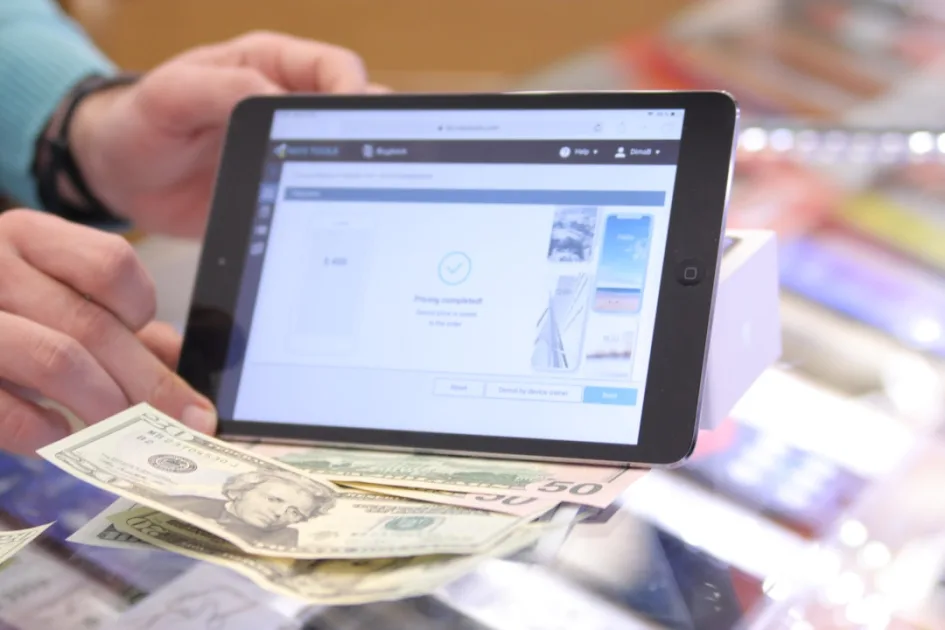
Where it breaks down: If your fulfillment operation isn’t set up for walk-in collection, local pickup creates operational noise without revenue benefit. It also requires clear communication in post-purchase emails about where and when customers can pick up — gaps here drive support ticket volume.
Extended Methods: Where Real Complexity Lives
For most stores beyond early-stage, the three native methods aren’t enough. The gap between «functional» and «optimized» usually lives in the extended options.
Table Rate Shipping
Table rate is the most flexible rule-based shipping approach available in WooCommerce. It lets you define rates based on combinations of weight, order total, item count, shipping class, and destination zone — all in a single matrix. WooCommerce’s official Table Rate plugin (previously sold separately, now included with WooCommerce Shipping) is the most widely deployed solution, though third-party alternatives like several reputable plugin vendors offer comparable feature sets.
Where it works well: Stores with genuine weight or dimension complexity. A furniture retailer charging differently for a $200 bookshelf versus a $200 lamp — because the lamp ships in a small box and the bookshelf requires freight — needs table rate logic. Same for stores that offer tiered pricing based on order value: free under $X, flat $Y between $X and $Z, and carrier-calculated above $Z.
Where it breaks down: Table rate rules are powerful but brittle. A complex ruleset with 30+ rows becomes difficult to audit — especially when someone adds a new product category that doesn’t fit any existing rule. Debugging a miscalculation at checkout often requires working through the entire table. Stores that let the table grow without documentation regularly encounter hard-to-trace shipping errors.
Maintenance cost: Unlike live carrier rates, table rates don’t self-update. When carrier prices change, your table is wrong until someone manually corrects it. For high-volume stores, this is a recurring operational task, not a one-time setup.
Live Carrier Rates (Real-Time Calculated Shipping)
Live carrier rates pull actual quotes from carriers — UPS, USPS, FedEx, DHL, Canada Post — at checkout based on the customer’s address, cart weight, and package dimensions. The customer sees real prices, and the store owner charges exactly what the carrier will charge (or applies a markup).
Where it works well: Stores with high weight variance, large item catalogs, or significant international shipping volume. Any situation where a fixed rate would consistently overcharge or undercharge on a meaningful percentage of orders makes live rates worth the implementation overhead. It also works well when customers explicitly want carrier choice — showing multiple service levels (ground, express, overnight) at real prices builds trust with buyers who are cost-sensitive but also time-sensitive.
Where it breaks down: Live rates require accurate product weights and dimensions in your catalog. If even 20% of your products are missing that data, the API calculations are wrong — and wrong live rates are worse than a flat rate because customers expect them to be accurate. The setup also requires a carrier account and API credentials, adding initial configuration complexity.
Performance note: Real-time rate lookups add a network request to the checkout process. Poorly implemented, this introduces checkout latency. Well-implemented — with proper caching of rate responses during a session — it’s barely perceptible. This is an important implementation detail if you’re using WooCommerce Blocks for checkout rather than the classic shortcode.
Shipping Classes: The Underused Layer
Shipping classes aren’t a method — they’re a classification system that works alongside your methods to apply different rates to different product groups within the same order. A store selling both lightweight jewelry and heavy ceramics can use shipping classes to charge $4 for the jewelry and $14 for the ceramics, even when both are in the same cart and the same shipping zone.
Most WooCommerce store owners either underuse shipping classes (applying the same rate to every product) or misuse them (creating classes that duplicate zone logic). The correct mental model: zones define where you’re shipping, methods define how you’re charging, and classes define what product attributes affect the rate.
Decision Framework: Matching Method to Store Type
Simple physical goods store, one country, uniform products
Flat rate with a free shipping threshold above your AOV. Keep it simple. The cognitive overhead of table rates or live carrier integration isn’t justified when your product weights are consistent and your shipping volume doesn’t warrant a carrier negotiation.
Mixed-inventory store with significant weight variance
Table rate shipping with shipping classes. Build the matrix around weight tiers and use classes to differentiate product categories that have fundamentally different shipping profiles. Accept the maintenance overhead — it’s lower than the margin leakage from miscalibrated flat rates on a high-SKU catalog.
High-volume store with negotiated carrier contracts
Live carrier rates, with a markup layer if you use shipping as a partial revenue source. At sufficient volume, your carrier rates are below retail, and passing through a slightly marked-up live rate still undercuts what customers would pay shipping separately — while recovering your actual cost. This only works if your product data (weights, dimensions) is meticulously maintained.
International store serving multiple markets
Shipping zones are non-negotiable here. Each geographic market should have its own zone with independent method configuration. A blanket global rate is rarely correct for more than one market. International customs and duties handling is a separate consideration that sits above the shipping method layer — but it interacts with method selection because some carrier integrations include duties estimation, which can simplify the customer experience significantly.
Local business with walk-in customer base
Local pickup as the primary method, with flat rate as the secondary option for customers who prefer delivery. The goal is to make pickup the obvious default, not hide it as an afterthought.
Common Configuration Mistakes Across All Methods
Regardless of which method you choose, a few mistakes appear consistently across WooCommerce stores:
- No shipping zones defined: Without zones, WooCommerce applies methods globally, which means your domestic flat rate also applies to international customers — usually with absurd results.
- Displaying all methods simultaneously: Customers shouldn’t have to decide between «Standard Shipping $5» and «Free Shipping» in the same checkout step. If both are active in a zone, the cheaper/better one should display as the default and the other suppressed or shown only as an upgrade option.
- Missing «rest of world» zone: Any order from a country not covered by a specific zone falls into the default behavior, which is often «no shipping available» — meaning you’re silently blocking international sales without realizing it.
- Not testing from the customer’s perspective: Shipping configuration should be tested with real addresses across each zone, with products that exercise the edge cases in your ruleset. Most checkout shipping bugs are only caught after a customer reports a wrong charge or an unavailable method.
When Custom Shipping Logic Is the Right Answer
Some store requirements don’t fit any plugin combination cleanly. Subscription boxes with variable items, B2B stores with account-specific shipping agreements, stores that calculate shipping based on custom product attributes that WooCommerce doesn’t track natively — these scenarios often require custom code against the woocommerce_package_rates filter or a custom shipping method class extending WC_Shipping_Method.
This isn’t always more expensive than buying three plugins and forcing them to work together. When the plugin stack starts requiring conditional logic, workarounds, and manual overrides to handle edge cases, a purpose-built shipping method that does exactly what you need — and nothing else — often has lower long-term maintenance cost. If you’re evaluating that kind of work, it’s worth a conversation with a technical partner who understands WooCommerce internals. The team at BMD Creatives regularly works on exactly this kind of WooCommerce architecture problem for agencies and store owners who’ve hit the ceiling of configurable solutions.
FAQ: WooCommerce Shipping Methods
Can I use multiple shipping methods in the same zone?
Yes. WooCommerce supports multiple methods per zone. All active methods in a zone appear at checkout for the customer to choose from. The practical concern is UX — too many choices increase decision friction. Best practice is to offer two to three meaningful options at most: a free/economy option, a standard paid option, and an express option if operationally feasible.
What’s the difference between a shipping zone and a shipping class?
Zones define the geographic scope (a country, a region, a postcode range). Classes define product attributes that affect rate calculation within any zone. They operate independently but interact when you apply class-specific rates inside a flat rate or table rate method.
Does live carrier rate shipping require a paid plugin?
Most carrier-specific rate plugins are paid, yes — though WooCommerce Shipping (USPS and DHL, for US and international stores) is free and built into WooCommerce. For UPS, FedEx, or regional carriers, expect to pay for a quality integration. The cost is usually justified at moderate shipping volumes.
How do I handle free shipping that only applies to certain products?
The native free shipping method applies to the whole cart. For product-level free shipping, you need to use shipping classes (mark specific products as free shipping class) and configure your flat rate or table rate method to charge $0 for that class. Alternatively, some catalog plugins offer per-product shipping overrides, but these add complexity that can be hard to audit.
What happens if a customer’s address doesn’t match any shipping zone?
They’ll see «no shipping methods available» at checkout, which typically prevents order completion. The fix is to create a «Rest of World» zone with at least one method configured — even if that method is priced to reflect the difficulty of shipping to unspecified destinations.
Once you’ve optimized your shipping configuration, the next critical decision is selecting the right payment gateway. Just as shipping methods directly impact margins and conversion rates, WooCommerce payment gateways comparison requires understanding fees, regional support, and technical integration requirements.
Beyond shipping logistics, the complete WooCommerce optimization picture includes how products are presented and sold. After configuring your shipping methods, focus on WooCommerce product page optimization to ensure your shipping strategy actually reaches customers who convert.
WooCommerce stores with complex shipping configurations benefit significantly from proper performance optimization. Implementing effective WordPress caching strategies ensures your shipping calculations and checkout process remain fast even under high traffic.
For stores requiring highly specialized shipping logic beyond standard WooCommerce methods, the decision often extends to your site’s underlying architecture. Understanding the best way to build custom WordPress site becomes relevant when shipping requirements demand custom development beyond plugin capabilities.
Developer experience
In my experience reviewing WooCommerce stores that have been running for a year or more, shipping configuration is almost always the area with the most unexamined technical debt. The initial setup gets done quickly — flat rate, done — and then nobody revisits it as the catalog grows, carrier rates change, and new markets open up. What I find most often isn’t a wrong method choice, it’s a correct original choice that was never maintained. Before evaluating whether you need table rate or live carrier rates, it’s worth auditing what your current setup is actually doing versus what you think it’s doing — the gap there is usually larger than expected.

